
Collier County Active Warrant Search Portal
The Collier County Sheriff's Office maintains the active warrant database and makes it available to the public online. Warrants are issued by a judge or magistrate in Florida's Twentieth Judicial Circuit, then logged in the Sheriff's system. The Sheriff's page at colliersheriff.org links directly to the search, which operates at a separate secure address. Before you can reach the search form, you must accept a terms-and-conditions screen. That screen explains what the database covers, how it is provided, and its legal limitations.
One key difference sets warrant records apart from arrest records in this system. Arrest records are limited to bookings made on or after January 1, 2016. Active warrants face no such cutoff. The database returns all active warrants regardless of when they were issued. That makes it useful when you need to check whether an older court order is still open. The portal caps search results at 100 records per query, so a common last name may require you to add more fields to narrow the results.
The Sheriff posts a public-record notice on the arrest/warrant page. The database is offered as a courtesy and does not replace a formal public-records request under Florida Statute Chapter 119. Arrest and warrant data reflects conditions at the time of entry and is not a statement of guilt, innocence, acquittal, dismissal, or final court action. For final case disposition, the Sheriff directs users to the Clerk of the Circuit Court & Comptroller and the Clerk's court case search.
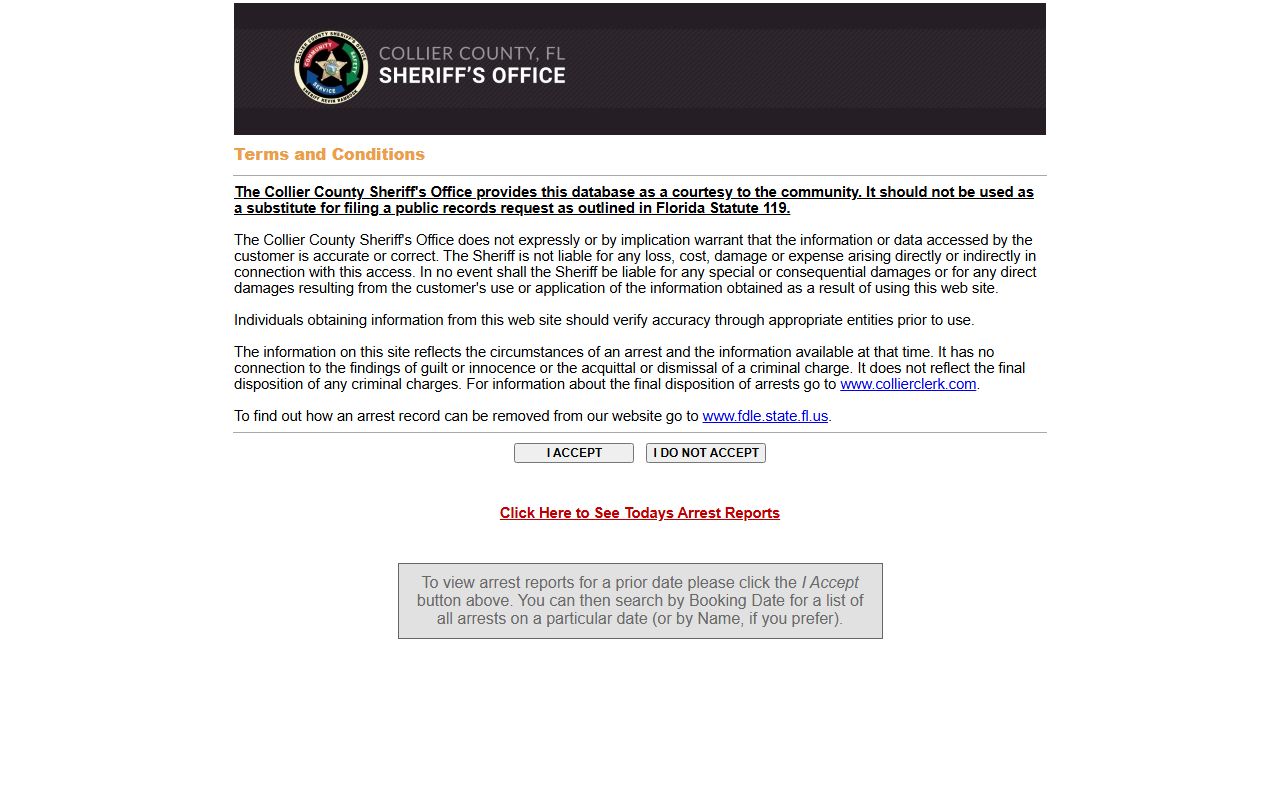
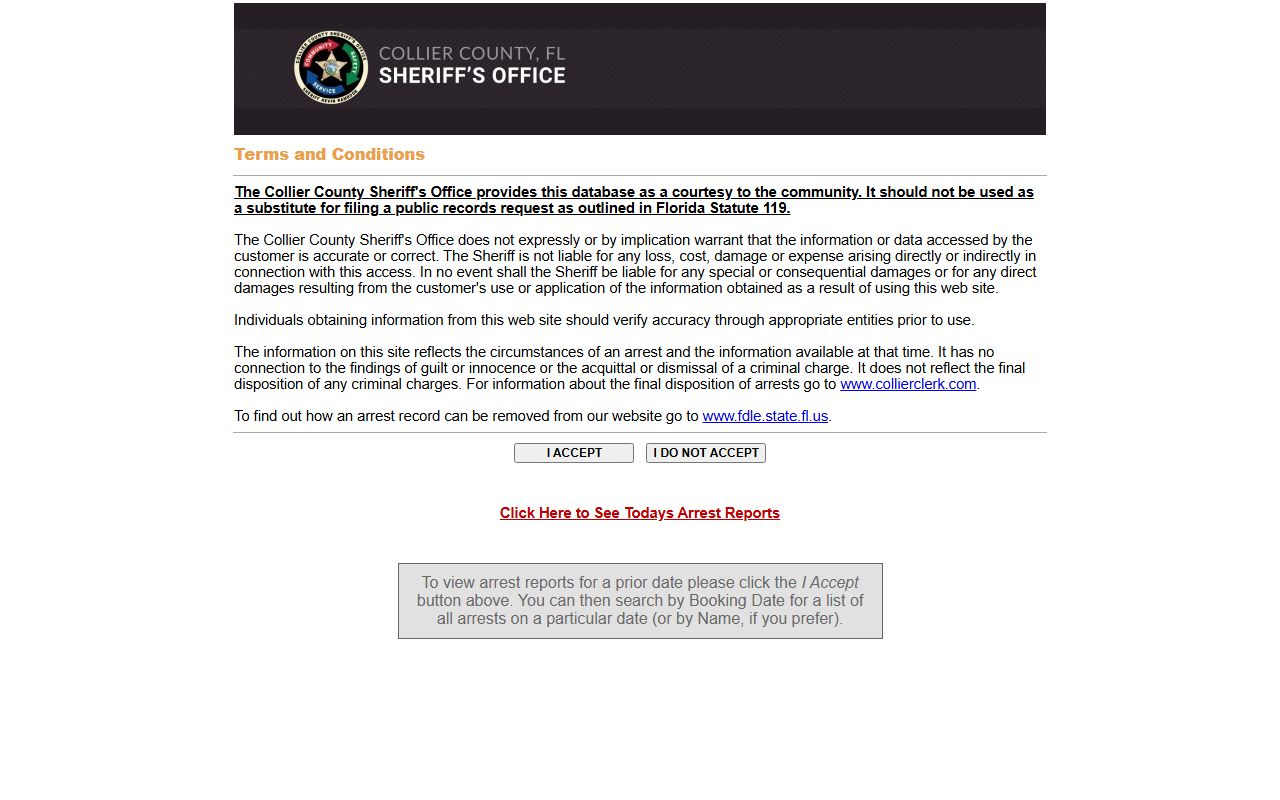
The terms-and-conditions screen shown below leads to the search form. Clicking "I ACCEPT" proceeds to the search. Clicking "I DO NOT ACCEPT" exits the system.
The Collier Sheriff arrest and warrant terms screen presents the public disclaimer and fraud alert before granting access to the search form.
After accepting the terms, you reach the search form where you can select WARRANT in the Type dropdown to filter results to active warrants only.
How to Search Collier County Warrants Step by Step
The search form is straightforward once you know what each field does. Last name is exact-match only; no partial or contains logic applies. First name accepts a wildcard asterisk at the end, so entering "Joh*" returns John, Johnny, Johanna, and similar matches. Date of birth must be in MM/DD/YYYY format. Most searches work well with just last name plus first name, but adding date of birth cuts down false matches for common names.
- Go to the Collier Sheriff arrest/warrant search page and follow the link to the search portal.
- Read the terms and conditions. Click "I ACCEPT" to proceed to the search form.
- In the Type dropdown, select WARRANT to limit results to active warrants. Select BOTH if you also want arrest records in the same query.
- Enter the subject's exact last name. Add first name or use a first-name wildcard (e.g., "Jo*") to narrow results without over-restricting.
- Add date of birth in MM/DD/YYYY format if the name is common. You may also search by booking number alone if you have it.
- Click Search. Review up to 100 results. If you hit the 100-record cap, add more fields to reduce the result set.
- Click a record to open the full warrant profile. Note the holding agency, case number, court date, and any "Hold For" agency field if the warrant involves another jurisdiction.
The search form after accepting terms is shown below.
The Collier Sheriff arrest/warrant search form provides name, date, booking number, type, and custody filter fields after terms acceptance.
Setting the Type field to WARRANT returns active warrant records only, keeping arrest records out of your results when you only need warrant data.
Collier County Warrant Search Field Reference
The table below lists every field on the Sheriff's search form. All fields are optional except the terms acceptance step, which is a hard gate. You need at least one search value to get results; submitting a blank form returns nothing useful. The Type dropdown is the key control for isolating warrant records from arrest records.
| Field Label | Type | Required | Notes |
|---|---|---|---|
| Terms Acceptance | Submit button | Yes | Must click "I ACCEPT" before reaching the search form. "I DO NOT ACCEPT" exits. |
| Last Name | Text | Optional | Exact match only. No partial, contains, or starts-with logic on last name. |
| First Name | Text | Optional | Exact match or use * wildcard at the end for starts-with matching (e.g., "Ro*" returns Robert, Rosa, etc.). |
| Date of Birth | Date | Optional | Format must be MM/DD/YYYY. Helps filter common names. |
| Booking Date | Date | Optional | MM/DD/YYYY. Returns all records booked on that date. More useful for arrest searches than warrant-only searches. |
| Booking Number | Text | Optional | Booking number assigned at intake. Use when you have a specific identifier. |
| Type | Dropdown | Optional | Options: BOTH, ARREST, WARRANT. Select WARRANT to see only active warrant records. Defaults to BOTH when left unset. |
| In Custody Only | Checkbox | Optional | Limits results to people currently in custody. Leave unchecked when searching active warrants for people not yet booked. |
Note: The maximum result count is 100 records per search. If your query hits that cap, add date of birth or another field to narrow results before reviewing them.
What a Collier County Warrant Record Shows
The Sheriff's arrest and warrant portal uses a shared profile format for both arrests and warrants. The research note below applies here: a dedicated warrant-only profile inventory was not captured separately during research. What appears in a warrant profile is drawn from the arrest profile format observed on the Today's Arrests report, with some fields appearing only when applicable to a warrant, such as a "Hold For" agency when another jurisdiction is involved. The table below reflects what the portal displays based on the observed record format.
| Field | What It Shows |
|---|---|
| Name | Subject's full name as entered in the Sheriff's system. |
| Date of Birth | Subject's date of birth in the booking record. |
| Residence | Address on file at the time of entry; may reflect conditions at booking, not current address. |
| A# / PIN | Internal Sheriff identifiers assigned to the subject's record in the jail management system. |
| Race / Sex / Height / Weight / Hair / Eye Color | Physical description fields from the Description section of the profile. |
| Booking Date / Booking Number / Agency | Date of booking, assigned booking number, and arresting agency (e.g., CSO, NPD, MPD). |
| Age at Arrest | Subject's age at the time of booking or warrant entry. |
| IN CUSTODY flag | Appears when the subject is currently held in custody. Absent if not yet booked or already released. |
| Charges Table (Offense) | Lists charged offense or warrant basis, count, charge date, statute or offense description. |
| Hold For | Identifies another agency or jurisdiction holding the warrant when it is a fugitive or out-of-state matter. |
| Case Number | Court case number associated with the charge when one has been assigned. |
| Court Date | Scheduled court appearance date shown per charge when available. |
| Bond Status | Shows bond condition such as "No information available" or a dated bonded status. Warrant records may show no bond set if the subject has not appeared. |
To look up the court case linked to a warrant, cross-check the case number in the Clerk's ShowCase Web portal. The Clerk record shows charges, docket entries, hearing dates, and case status that the Sheriff portal does not display. For questions about a specific warrant, call the Fugitive Warrants Bureau directly at 239-252-9655.
Types of Collier County Warrants
Florida courts and law enforcement use several distinct warrant types. Each has a different legal basis and different implications for the person named. Understanding which type applies matters because the process for resolving it can differ.
- Arrest warrant - Issued by a judge after a finding of probable cause that a person committed a criminal offense; authorizes law enforcement to take the person into custody.
- Bench warrant / capias - Issued directly by a judge, typically for missing a court date, failing to comply with a court order, contempt of court, or a probation violation; does not require a separate probable-cause hearing.
- Search warrant - Authorizes law enforcement to search a specific location or seize specific items; generally not public before it is executed, and may remain sealed afterward depending on the case.
- Fugitive / out-of-state warrant - Involves a "Hold For" agency or state; the subject is wanted by another jurisdiction and Collier Sheriff holds or detains for extradition or transfer.
- Capias pro fine / failure-to-pay capias - A court process that can result in a capias or warrant entry when fines, fees, or restitution are not paid as ordered by the court.
Bench warrants and capias orders are among the most common warrant types in the Collier system. A missed arraignment, a skipped traffic hearing, or a failure to meet probation terms can each trigger one. The Sheriff's portal does not always label the warrant by type in the public view, so the charges and case number fields are the best clues for identifying what court action triggered the warrant.
How to Resolve a Collier County Warrant
An active warrant does not go away on its own. Courts do not typically cancel warrants without action from the person named or their attorney. The steps below reflect the resolution process described in the Sheriff's guidance and the Clerk's case portal framework. Moving fast matters; an active warrant can lead to arrest at a traffic stop, a court appearance, a place of work, or any other contact with law enforcement.
- Verify the warrant. Search the Sheriff's active warrant portal using the Type: WARRANT setting. Confirm the name, case number, and charge. Call the Fugitive Warrants Bureau at 239-252-9655 to ask about the warrant status and any bond or court information on file.
- Cross-check the Clerk record. Use the ShowCase Web court case search with the case number from the warrant record. The Clerk record shows the current case status, upcoming hearings, charges tab, and any fee balance. It may also show whether the court date that triggered a bench warrant has been reset.
- Do not pay anyone by phone. The Sheriff's fraud alert is specific: CCSO never solicits bond or fine payments, and bond cannot be paid by phone. Any call demanding bond or fine payment claiming to be from the Sheriff's Office, a court, or law enforcement is fraudulent. Verify bond directly with the Naples Jail Center or the Clerk using the phone numbers on official sites only.
- Consult an attorney or the Public Defender. An attorney can file a motion to recall or quash a bench warrant, negotiate a surrender date, or arrange a bond hearing. The Public Defender for the Twentieth Judicial Circuit represents qualifying indigent defendants. For those who do not qualify for the Public Defender, the Florida Bar Lawyer Referral Service and Legal Aid Service of Collier County are options.
- Appear or surrender as directed. A voluntary surrender, often arranged through counsel, can be viewed more favorably by a court than a street arrest. The attorney or court will set the terms. If you appear without counsel, bring any documents related to the underlying case, such as prior court notices or proof that conditions were met.
- Recheck both systems after resolution. The Sheriff warrant portal and the Clerk case portal do not always update instantly. After a court appearance or warrant recall, check both systems within a few business days to confirm the warrant no longer shows as active. If the warrant still appears, contact the Fugitive Warrants Bureau or the Clerk's office to confirm the court order was received and processed.
Fraud Alert: The Collier County Sheriff's Office never asks for bond or fine payments by phone. Bond cannot be paid by phone under any circumstances. Any caller claiming otherwise is running a scam; hang up and verify through official channels only.
Collier County Warrant and Records Contacts
Two units within the Collier County Sheriff's Office handle warrant and records questions for the public. The Fugitive Warrants Bureau focuses specifically on active warrants and extradition matters. Central Records handles arrest records, booking documentation, and general records requests. For jail custody questions, the Naples Jail Center and Immokalee Jail Center have direct lines.
Fugitive Warrants Bureau
Collier County Sheriff's Office
3319 Tamiami Trail East, Naples, FL 34112
Phone: 239-252-9655
Questions about active warrants, warrant status, extradition holds.
Central Records Bureau
Collier County Sheriff's Office
3319 Tamiami Trail East, Naples, FL 34112
Phone: 239-252-0637
Arrest records, booking documentation, public records requests.
For court case records tied to a warrant, contact the Clerk of the Circuit Court & Comptroller at 3315 Tamiami Trail East, Suite 102, Naples, FL 34112; phone (239) 252-2646. The Clerk can confirm case status, court dates, and any balance owed in the court's fee system.
When Collier County Bench Warrants Issue
A bench warrant in Collier County comes from the judge, not from law enforcement, and it can issue faster than many people expect. The most common triggers are missing a scheduled court date, violating probation terms, and failing to pay court-ordered fines or restitution on the schedule set by the judge. Traffic cases are a frequent source of bench warrants: a person who misses a mandatory-court traffic hearing, ignores a civil citation past its due date, or elects a driving-school option but fails to complete it may find a bench warrant entered without any additional notice.
A bench warrant for a missed arraignment can issue the same day the defendant fails to appear. Florida circuit and county courts require defendants to appear or have counsel appear on their behalf. When neither happens, the court has the option to issue a capias or bench warrant immediately, forfeit any bond already posted, and schedule the case for next steps. In family law cases, a failure to comply with a child support order or a financial disclosure deadline can also produce a contempt motion that leads to a bench warrant.
The ShowCase Web portal is the best way to check whether a bench warrant has been issued in a pending case. Look at the Dockets tab of the relevant case record for any entry that references a bench warrant, capias, failure-to-appear order, or re-arrest. The docket will also show whether a new court date has been set, which is sometimes done at the same time the warrant issues. Cross-referencing the Clerk docket with the Sheriff warrant portal gives the most complete picture of where the case stands.
Note: A bench warrant that appears in the Sheriff's portal but not yet in the Clerk docket may reflect a processing delay between systems; call the Clerk's office at (239) 252-2646 to confirm status before taking action.
Restricted and Limited Collier County Warrant Records
Not every warrant issued by a Collier County court is visible in the public portal. Several categories carry legal limits on public access under Florida law and court rules.
Search warrants are routinely withheld from public view until after they are executed and the court decides how to handle the sealed record. A judge may keep a search warrant sealed if disclosure would harm an ongoing investigation, reveal a confidential informant, or otherwise compromise law enforcement operations. Even after execution, search warrant records may remain sealed for a period by court order. The Sheriff portal does not display unexecuted search warrants.
Juvenile warrants carry strong confidentiality protections under Florida juvenile statutes and Florida Statute 119.0714. Even when a juvenile delinquency case has an associated warrant, that warrant record is generally not accessible through the public portal. The court and the Clerk govern juvenile record access, and disclosure requires a court order or statutory authorization. Federal warrants issued by a U.S. magistrate or district judge in the Middle District of Florida are not in the Sheriff's county portal and must be tracked through federal court channels.
If a warrant search in the Sheriff's system returns no results, that does not always confirm no warrant exists. A warrant may exist but be sealed, may be in a different jurisdiction's system, or may not yet have been entered. For a definitive answer, call the Fugitive Warrants Bureau at 239-252-9655 or request a formal records check through the Sheriff's Central Records Bureau under Chapter 119.