
Collier County Inmate Search Portal
Sheriff Kevin Rambosk operates the Collier County Sheriff Arrest and Warrant Search as a public courtesy. The portal pulls from the Sheriff's jail management system and reflects booking data as it is entered by the Corrections Department. Arrests from January 1, 2016, forward are included. All active warrants appear regardless of date. A single search can return both arrest records and warrant records by using the Type dropdown. Results are capped at 100 per query, so narrowing by name and date is important when searching a common name.
The Sheriff makes clear that the database is a courtesy tool and is not a substitute for a formal public-records request under Florida Statute Chapter 119. Arrest information captures circumstances at the time of booking only. It does not reflect acquittal, dismissal, reduction of charges, or any other outcome in court. For final case disposition, search the Clerk of the Circuit Court's ShowCase Web portal using the case number shown on an arrest profile.
The roster covers inmates held at Collier County's two jail facilities. It does not cover people in state prison, federal detention, immigration custody, or civil commitment. Individuals sentenced to Florida Department of Corrections custody are searchable at Florida DOC Offender Search. Federal detainees appear in the Bureau of Prisons Inmate Locator.
How to Use the Collier County Inmate Roster
The search runs in two steps. First you accept a terms screen. Then you reach the actual search form. Both pages are at the Sheriff's subdomain, separate from the main Sheriff website. If you land at the general Sheriff page, look for the links labeled "Search Arrests & Warrants" or "Today's Arrests" to reach the correct entry point.
- Go to colliersheriff.org/how-do-i/find-out-who-s-in-jail and read the disclaimer and fraud alert. Note that bond cannot be paid by phone.
- Click through to the terms-and-conditions screen. Click "I ACCEPT" to proceed. Clicking "I DO NOT ACCEPT" exits the portal.
- On the search form, enter at least a last name. Use the Type dropdown to choose ARREST, WARRANT, or BOTH.
- Check "In Custody Only" if you want to see only people currently held. Leave it unchecked to see older arrest records where the person may have been released.
- Add a first name if you know it. Add a wildcard asterisk at the end of a partial first name for a starts-with match (example: "Ro*" returns Robert, Ronald, Rosa). Last name searches are exact only.
- Enter a date of birth in MM/DD/YYYY format if you have it. A booking date or booking number can also narrow results quickly.
- Click Search. Review the list of profiles returned. Click any profile to open the full arrest or warrant record with all available fields.
- Use "Begin a New Search" or "Top of Page" to reset. If you get more than 100 results, tighten the search by adding DOB or a date range.
The Today's Arrests report is a shortcut that lists every arrest processed during the current report day. It does not require entering any search fields. It is useful for reviewing same-day bookings without knowing a specific name.
The Sheriff's Arrest and Warrant Search page links directly to terms acceptance at www2.colliersheriff.org/arrestsearch/Default.aspx and to Today's Arrests at the report URL. Bookmarking the terms page directly is a reliable way to return to the search without hunting through the main Sheriff navigation.
The Sheriff's terms screen captures the jurisdiction's legal posture. The screenshot below shows the terms and conditions page that precedes the search form.
The Sheriff arrest and warrant terms screen displays the public-record disclaimer, fraud alert, and "I ACCEPT" button before search access is granted.
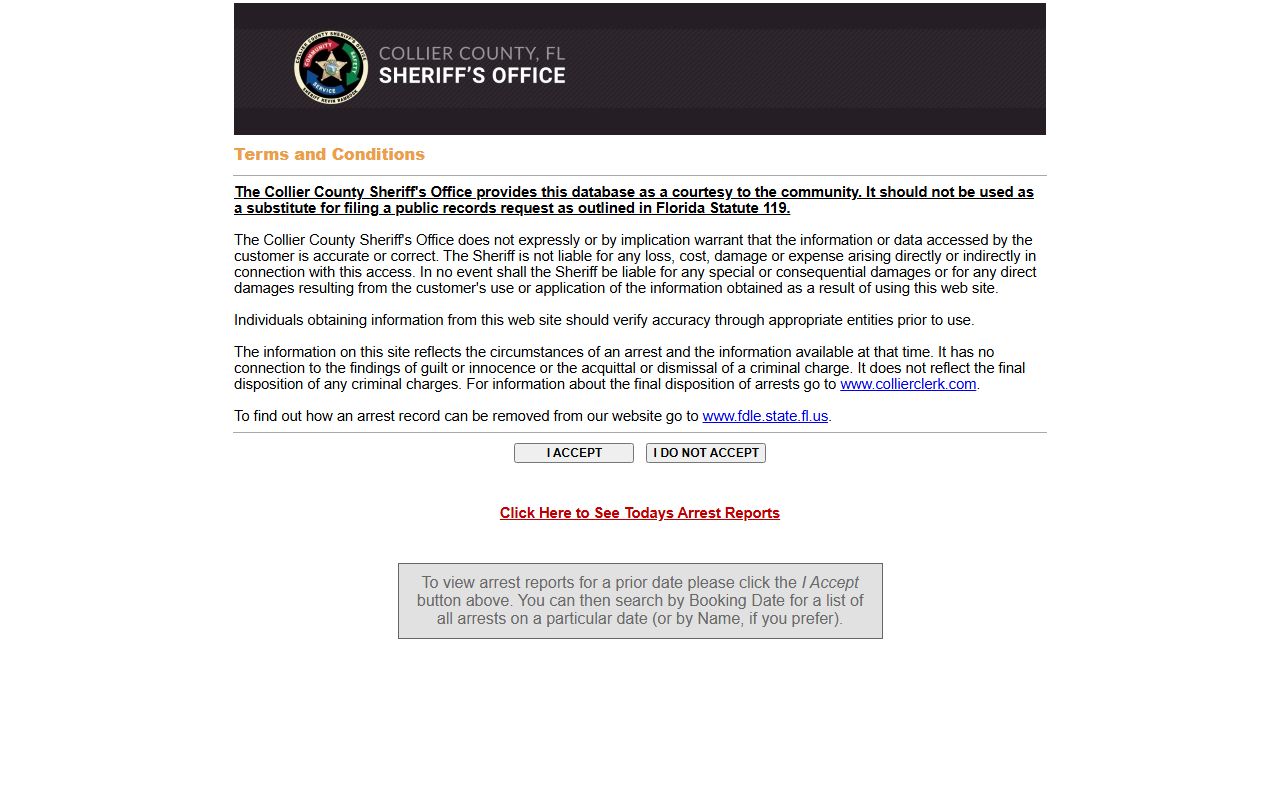
After accepting, the portal opens the full search form where you can enter name, date of birth, booking date, and type filters.
Collier County Arrest Search Fields Explained
The search form has eight fields and two controls. Each field is optional on its own, but the system requires enough input to identify a record. Entering only a last name works for uncommon surnames. For very common names, combining last name, first name, and date of birth will filter results down to a manageable set. The 100-result cap is enforced at the query level, not the display level, so a query returning over 100 matches silently drops records beyond the limit.
| Field Label | Type | Required | Notes |
|---|---|---|---|
| Last Name | Text | No (recommended) | Exact match only. No wildcard at end. Partial entries may return no results. |
| First Name | Text | No | Exact match or starts-with using * wildcard at the end (e.g., "Mar*"). |
| Date of Birth | Date | No | Format: MM/DD/YYYY. Combining with name greatly reduces results for common names. |
| Booking Date | Date | No | Format: MM/DD/YYYY. Returns all arrests on that specific date. |
| Booking Number | Text | No | Exact booking number. Best used when pulling a known record directly. |
| Type | Dropdown | No | Options: BOTH, ARREST, WARRANT. Default is BOTH. Switch to WARRANT to search only active warrants. |
| In Custody Only | Checkbox | No | When checked, limits results to individuals currently held. Unchecked shows all records within the date window. |
| Terms Acceptance | Button | Yes | Must click "I ACCEPT" on the prior screen to reach the search form at all. |
Arrest records searched: arrests on or after 1/1/2016. Active warrants: no date limit. Maximum results returned per query: 100. The search form also provides Reset, Begin a New Search, and Top of Page buttons for navigation.
The image below shows the actual search form as it appears after terms acceptance.
The Sheriff arrest and warrant search form displays all eight fields available for querying Collier County inmate and warrant records.
Each field is optional, but combining last name with date of birth is the fastest way to find a specific person in the Collier County arrest database.
Note: The search covers only arrests booked into Collier County Sheriff facilities. City of Naples Police Department and other municipal agency arrests are processed through the Sheriff's jail and will appear, but arrests booked into other county jails do not appear here.What a Collier County Inmate Profile Shows
Each arrest profile in the Collier County database is a standardized record built at the time of booking. The fields come from the Sheriff's jail management system and are populated by corrections staff during intake. Not every field is visible on every record. Bond status, for instance, may show "No information available" if bond has not yet been set, or a dated "BONDED" entry if the person posted bond and was released. The custody flag tells you at a glance whether the person is still in jail.
| Field | What It Shows |
|---|---|
| Name | Full legal name as entered at booking. |
| Date of Birth | Date of birth in MM/DD/YYYY format; used to distinguish people with the same name. |
| Residence | Address listed at the time of arrest; may be a city/state only or a full street address. |
| A# (Arrest Number) | Sheriff's unique identifier for the individual within the jail system. |
| PIN | Personal identification number used within the corrections system for commissary, phone, and visitation access. |
| Race | Race as recorded at booking. |
| Sex | Sex as recorded at booking. |
| Height | Height in feet and inches. |
| Weight | Weight in pounds at time of booking. |
| Hair Color | Hair color as recorded during intake. |
| Eye Color | Eye color as recorded during intake. |
| IN CUSTODY flag | Displays "IN CUSTODY" when the individual is still held at a Collier facility. Absent when bonded or released. |
| Booking Date | Date the person was booked into the Collier jail system. |
| Booking Number | Unique number assigned to this particular booking event. Use it to look up the same record directly later. |
| Agency | The law enforcement agency that made the arrest (e.g., CSO for Collier Sheriff, NPD for Naples Police, MPD for Marco Island Police). |
| Age at Arrest | Calculated age on the date of booking. |
| Charges | Table listing each charge, statute or offense description, count, court date, Hold For agency if applicable, and the related case number. |
| Court Date | Next scheduled court appearance date shown per charge row. |
| Bond Status | Bond set, bonded with date, no information available, or other status. Does not show bond amount in all cases. |
The Today's Arrests report shows the same field set as individual name searches. The report image below shows how a typical Collier arrest profile is displayed, including the charges table and bond status row.
The Sheriff's Today's Arrests report displays the full arrest profile layout including name, description fields, booking section, charges table, and bond status for each person booked that day.
Each entry in the Collier daily arrest report follows the same layout, making it easy to scan charges, custody status, and court dates across multiple bookings at once.
Profiles do not show housing unit or pod assignment. Mugshot images were not visible in the public text-based profile output. For holding location details, call the Naples Jail Center or Immokalee Jail Center directly using the numbers listed below.
Collier County Jail Facilities and Contacts
The Collier County Sheriff's Corrections Department operates two jail facilities. The Naples Jail Center is the main booking and custody facility and handles the bulk of Collier County arrests. The Immokalee Jail Center is a secondary facility serving the eastern part of the county. Both facilities use the same inmate communication platform and mail address. For questions about a specific inmate's location, call the facility or the Central Records Bureau. For active warrant questions, call the Fugitive Warrants Bureau directly.
Naples Jail Center
3347 Tamiami Trail East
Naples, FL 34112
239-252-9504
Main booking and custody facility. Books arrests from Collier Sheriff's Office, Naples Police Department, and other local agencies.
Immokalee Jail Center
302 Stockade Road
Immokalee, FL 34142
239-252-9735
Secondary jail center serving eastern Collier County. Processes arrests from the Immokalee area and surrounding communities.
Central Records Bureau
Collier County Sheriff's Office
3319 Tamiami Trail East, Naples, FL 34112
239-252-0637
For questions about arrest records. Formal public-records requests under Florida Statute 119 are submitted here.
Fugitive Warrants Bureau
Collier County Sheriff's Office
3319 Tamiami Trail East, Naples, FL 34112
239-252-9655
For questions about active warrants, outstanding holds, or extradition matters. Do not attempt to resolve a warrant without consulting an attorney first.
Collier County Booking and Intake Process
When a law enforcement officer makes an arrest in Collier County, the person is transported to the Naples Jail Center or Immokalee Jail Center for intake. During booking, staff record identifying information including name, date of birth, address, physical description, and fingerprints. The person is assigned an A# (arrest number) and a PIN within the corrections system. A booking number is generated for the specific arrest event. Charges are entered at this stage based on the arresting officer's report and the applicable Florida statute.
After intake, the Sheriff's database is updated and the booking record becomes visible in the public arrest search. The arresting agency code appears on the record, which may be CSO (Collier Sheriff), NPD (Naples Police Department), MPD (Marco Island Police Department), or another local agency. All arrests are processed through the Collier jail system regardless of which agency made the arrest.
A first appearance hearing is held within 24 hours of arrest under Florida law. At first appearance, a judge reviews the charges, determines custody status, and may set or deny bond. Bond status updates in the arrest system as events occur. A "BONDED" entry with a date means the person posted bond and left custody on that date. "No information available" under bond status typically means the hearing has not yet occurred or bond has not been addressed. Release from custody does not close the court case. The Clerk's ShowCase Web case search shows the court-side record including case status, future court dates, and final disposition.
Collier County Jail Visitation Schedule
The Sheriff's Corrections Department allows both on-site and remote video visitation through the SmartInmate platform. On-site visits take place at the Visitation Center and run seven days a week. Inmates receive six on-site visits per week at no charge. Remote video visits also run seven days a week but have two daily windows rather than one. Attorney and professional visits have expanded windows to accommodate legal and official business. All video visitation accounts, including attorney accounts, are managed through SmartInmate. If a visitor and an inmate have an active no-contact order in place, visits are not permitted regardless of visit type.
| Visit Type | Days | Hours |
|---|---|---|
| On-site visits (Visitation Center) | 7 days/week | 12:30 p.m. - 3:30 p.m. |
| Remote video visits | 7 days/week | 12:30 p.m. - 3:30 p.m. and 6:30 p.m. - 10:00 p.m. |
| Attorney remote visits | 7 days/week | 8:00 a.m. - 10:30 a.m., 12:30 p.m. - 3:30 p.m., and 6:30 p.m. - 10:00 p.m. |
| Professional in-person visits | Monday - Friday | 7:00 a.m. - 10:45 a.m. and 12:30 p.m. - 3:45 p.m. |
To set up remote video visitation, log into SmartInmate, go to Contacts, click Manage, find the inmate connection, and click "Apply for local, remote and on-demand visitation" under the visitation column. You will need to upload a government-issued ID. The jail reviews the application and sends an email if corrections are needed. The Visitation Center help line is 239-252-9556. Smart Communications tech support is available at 1-888-253-5178.
Attorneys must register separately at SmartInmate with a government-issued ID and Bar Card. The attorney account is reviewed before access to the attorney remote visit windows is granted. Professional visitors such as social workers and investigators may schedule in-person sessions by email at professionalvisits@colliersheriff.org or by phone at 239-252-9520. The official visitation rules and SmartInmate application instructions are published on the Sheriff's Jail Visitation page.
How to Contact a Collier County Inmate
The Collier County Sheriff uses Smart Communications for all personal inmate mail. Physical letters and cards sent to any Collier jail facility no longer go directly to the jail. Instead, mail is sent to a Smart Communications processing center where it is scanned and made available on inmate wall kiosks inside the facility. Senders should not send originals they need returned because the physical mail stays at the processing center. The mailing address for personal mail to Collier County inmates is:
Inmate Mail Address (Both Facilities)
Smart Communications - Collier County Jail
Attention To: [INMATE NAME and ID NUMBER]
P.O. Box 9129
Seminole, FL 33775-9129
Mail without the inmate's name and ID number is returned to sender.
Books, magazines, money orders, and cashier's checks for account deposits continue to go to the jail address directly: Inmate Name A#, 3347 East Tamiami Trail, Naples, FL 34112. Amazon is not an accepted book source. The Sheriff recommends using Barnes & Noble or another bookstore or publisher when sending books or magazines.
Electronic messaging, photo sending, phone calls, and video visitation are all handled through SmartInmate.com. Family and friends need an account to send messages or photos and to schedule video visits. Phone calls are placed by the inmate using the SmartInmate system inside the facility. When an inmate is released, they can log into SmartInmate and download any photos, messages, and postal mail that arrived during their stay at no charge.
The SmartInmate platform manages all electronic communication for Collier County jail inmates, including messaging, video visitation scheduling, and phone account management.
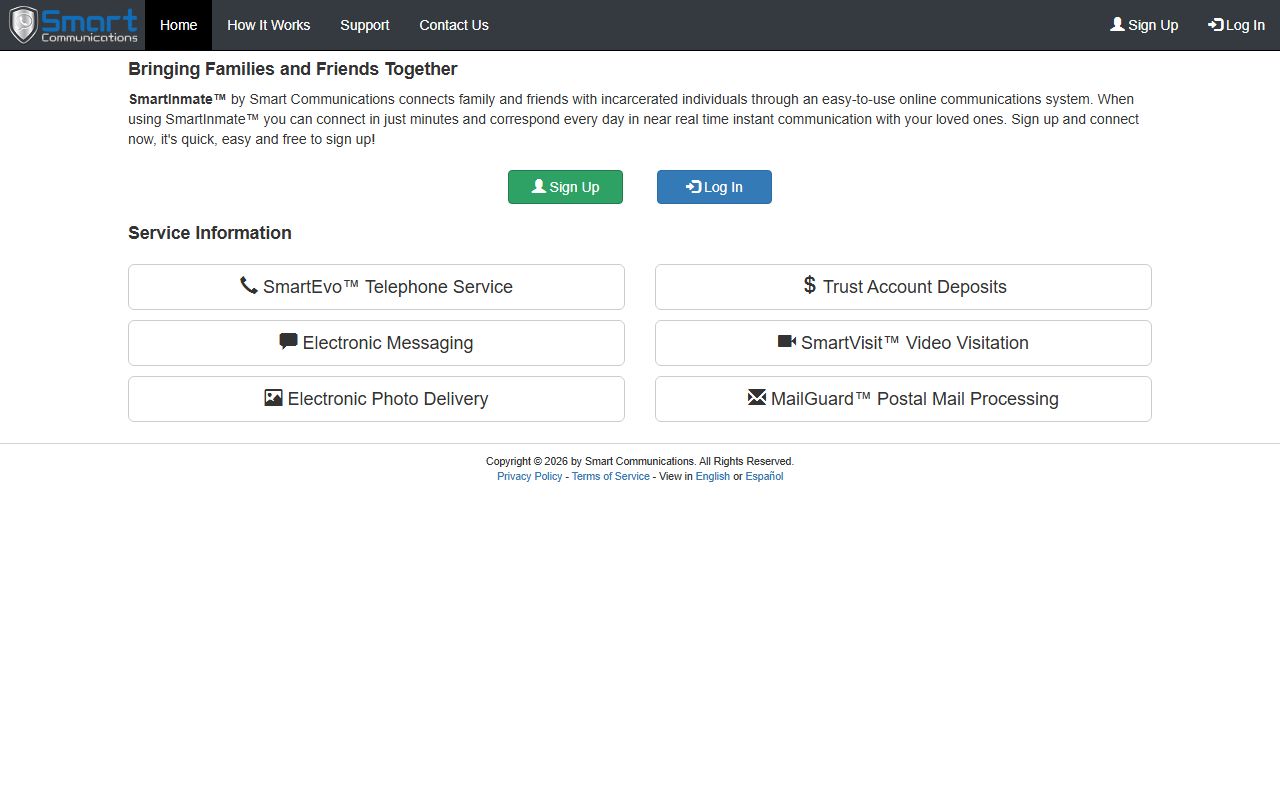
SmartInmate requires account registration before you can connect with a Collier County inmate for messaging, calls, or video visits.
Legal mail from attorneys to inmates at Collier facilities may be returned with instructions to use the SmartInmate electronic channel instead. Attorneys should register their SmartInmate account with a Bar Card and government-issued ID. Government agencies sending legal mail continue to use the physical jail address: Inmate Name A#, 3347 East Tamiami Trail, Naples, FL 34112.
Fraud Alert: Bond Cannot Be Paid by Phone
The Collier County Sheriff's Office does not call people to demand bond payments, fines, or fees over the phone. Bond cannot be paid by phone under any circumstances. If you receive a call from someone claiming to be CCSO and demanding immediate payment to secure an inmate's release, treat the call as a scam. Verify all custody and bond information by calling the Naples Jail Center at 239-252-9504 or Immokalee Jail Center at 239-252-9735, or by checking the public arrest search. Legitimate bond transactions involve a licensed bail bondsman or a payment made directly to the court clerk, not a phone payment to an individual.
VINELink Custody Notifications for Collier County
Victims and concerned parties can sign up for automated custody alerts through VINELink, the national victim notification network. VINELink connects to jail and corrections systems and sends an alert by phone, text, or email when a registered offender's custody status changes. This includes release, transfer, escape, or return to custody. The service is available at no cost to registered users.
To use VINELink for a Collier County inmate, visit the VINELink site and search for the person by name or ID while selecting Florida as the state and the Collier County Sheriff as the agency. Once you find the record, set up a notification with your preferred contact method. You do not need to be the victim of the crime to register for alerts, but VINELink is primarily designed for victim safety planning. For real-time custody status without notifications, the Sheriff's arrest search with the In Custody Only filter is faster for a one-time check.
The VINELink custody notification system lets family members and victims sign up for automated alerts when a Collier County inmate's custody status changes.
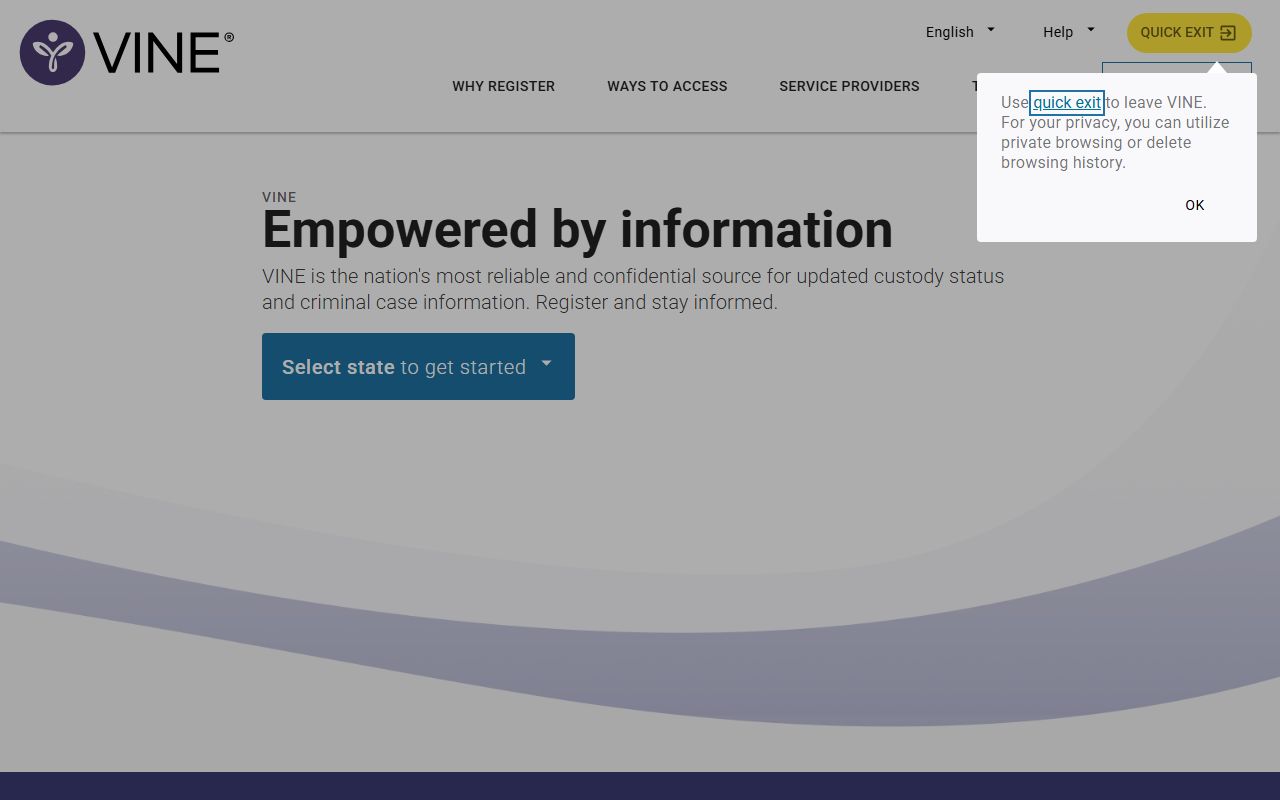
VINELink notifications can be delivered by phone, text, or email, and are especially useful when an inmate is expected to be transferred or released from a Collier County facility.
Searching Beyond Collier County Jail Records
The Collier Sheriff's roster only shows people held in Collier County facilities. There are several other databases to check when a person may have been transferred or is held outside the county.
- Florida Department of Corrections: The Florida DOC Offender Search covers people sentenced to state prison or under state supervision. Search by name or DC number. Use this after someone is sentenced and transferred out of county custody.
- Federal Bureau of Prisons: The BOP Inmate Locator covers people in federal custody. Search by BOP Register Number, FBI number, or name. Federal charges are processed separately from state charges and Collier County records.
- VINELink: VINELink covers custody changes for enrolled agencies and sends notifications when status changes.
- Phone verification: Call Naples Jail Center at 239-252-9504 or Immokalee Jail Center at 239-252-9735 to confirm whether a person is held at a specific Collier facility.
- Clerk case search: The ShowCase Web portal shows the court case tied to an arrest, including future court dates and case status, even after the person is released from jail.
A person may be released from Collier County jail while the court case is still open and pending. Release from custody and dismissal of charges are two separate events. Always check the Clerk's case portal to confirm case status if you need to know whether charges are still active.
Note: Immigration holds (ICE detainers) may appear in the charges table on a Collier arrest profile under "Hold For." ICE-held individuals may remain in Collier custody or be transferred to immigration detention. Contact ICE or the facility for transfer information.Collier County Arrest Records Are Not Convictions
Florida law treats arrest records as public records under Chapter 119, but the Sheriff and the Clerk are both careful to say that an arrest is not proof of guilt. The Sheriff's terms screen states explicitly that information in the arrest database reflects circumstances at the time of arrest and is not connected to any finding of guilt, innocence, acquittal, dismissal, or final court disposition. A person arrested and booked into the Collier County jail may have charges reduced, dismissed, nolle prossed, or may be acquitted at trial. None of those outcomes automatically remove the arrest from the Sheriff's public database.
For accurate case status, search the Clerk's ShowCase Web portal using the case number shown on the arrest profile. ShowCase records include charges, disposition dates, plea entries, sentences, and current case status. If a case was dismissed or the person was acquitted, that outcome appears in the Clerk's system and not in the Sheriff's arrest record. People who have had criminal records sealed or expunged under Florida Statute 943.0585 or Florida Statute 943.059 may have records removed from public access by court order. Contact the Central Records Bureau at 239-252-0637 for questions about a specific record's status or to submit a formal public-records request.