
What Is a Collier County Court Docket
A court docket is a chronological list of every event recorded in a case file. Each line, called a docket entry, notes a specific filing or action. The entry shows a date, a docket number, a count reference, and a plain-text description of what happened. Common entries include the filing of a complaint, a notice of hearing, a motion, an arraignment setting, and a final disposition order. The docket does not contain the full text of those documents. It is a table of contents, not the documents themselves.
In Collier County the docket is maintained by the Clerk of the Circuit Court & Comptroller and is stored in the ShowCase case management system. Every time a party files a document, a judge signs an order, or the clerk records a scheduled event, a new docket entry appears. The docket is the fastest way to see case progress without reading every filing. If you need the actual text of a motion or order, you must open the document linked to that docket entry, which may or may not be publicly visible online depending on Florida's court access rules.
Dockets cover all case types in Collier County: felony criminal, misdemeanor, traffic infractions, criminal traffic, domestic relations and family law, probate and guardianship, county civil, circuit civil, small claims, and juvenile categories where public access is permitted. The ShowCase system also makes the docket accessible by case number or party name from any device with internet access.
How to Find Collier County Court Dockets Online
The public docket search tool is ShowCase Web, run by the Collier County Clerk. No registration is needed. No fee is charged to view case docket entries. The Clerk notes that public users are governed by the Florida courts Security Matrix, which controls which documents can be seen online. The docket index itself is almost always visible; documents linked to restricted entries may not be.
The Clerk's online case search page explains free public access and links directly to ShowCase. The portal page at cms.collierclerk.com offers case search, reports, ePay, eCertify, and a help guide from the same landing screen.
The ShowCase Web interface (version v4.0.148 at the time of inspection) runs the Dockets tab inside every case detail view. The steps below walk through finding a docket from a fresh search.
- Open ShowCase Web at cms.collierclerk.com/showcaseweb/. The home screen displays tabs for Home, Case Search, and Court Events along the top navigation bar.
- Enter your search terms. Type a full case number (for example,
26MM000744or the full formatted number11-2026-MM-000744-AXXX-01) in the Case Number field, or use Last Name / First Name fields for a party search. You can also add a From Date and To Date to narrow results, and pick a Court Type from the dropdown. - Choose a Court Type if you know it. Options include Felony, Misdemeanor, Criminal Traffic, Traffic Infractions, Non Criminal Infraction, Domestic Relations/Family, Probate/Guardianship, Circuit Civil, County Civil, Small Claims, Guardianship, Mental Health, Delinquency, Dependency, Miscellaneous, County Ordinance, Municipal Ordinance, 6th DCA, Appeal from the County Court, and others. Selecting one reduces the result list significantly for common names.
- Click Search and review the results grid. Columns show Case #, Citation #, Party Name/Company, Party Type, DOB, Sex, Race, File Date, Court Type, Case Type, and Status. Check the One Row Per Case checkbox to collapse multiple party rows per case into one line.
- Click the case number to open the case detail screen. Tabs appear across the top: Parties, Dockets, Charges, Sentences, Fees, and Court Events.
- Click the Dockets tab. The docket entry table loads. Each row shows an image indicator, Docket Num, Effective Date, Count, and Description. A "Combine Documents" button appears on this tab, allowing multiple docket documents to be merged for printing when documents are available to the public.
- Open a document by clicking the image indicator in a row if the icon is active. If the document is restricted by the Security Matrix or is marked confidential under Florida Rule 2.420, no image opens. Use the Print button for a case detail printout, or Back to Results to return to the search grid.
The ShowCase Web portal at cms.collierclerk.com/showcaseweb/ is the same system used by court staff, attorneys, and registered users; the public version shows most non-confidential docket entries without a login.
The Clerk's case search page at ShowCase Web is shown below. The search form captures case number, party name, citation, date range, court type, and the one-row-per-case option.
The Collier Clerk ShowCase Web portal provides free public access to court case docket entries for Collier County circuit and county court cases.
From this search screen you can reach the Dockets tab inside any case by clicking through to the case detail view after running a name or case number search.
Collier County Docket Entry Fields and Types
Each row on the Dockets tab in ShowCase represents one recorded event. The columns observed during a live inspection of a Collier County misdemeanor case (case number 11-2026-MM-000744-AXXX-01) are shown in the table below. The Count column links a docket entry to a specific charge count when a case has multiple counts; in a single-count case it usually shows count 1.
| Column | What It Shows |
|---|---|
| Image | An icon indicating whether a document is attached and publicly viewable. Click the icon to open the document. A blank or inactive icon means the entry has no attached document, or the document is restricted under Florida's Security Matrix. |
| Docket Num | A sequential number assigned by the clerk system to each docket entry in the case. Used to identify a specific event when requesting copies or referencing a filing. |
| Effective Date | The date the entry was recorded or the event took effect. This may differ from the actual filing date if a document was received and processed on different days. |
| Count | Ties the docket entry to a specific count in a multi-count criminal case. A single-count case shows count 1 for relevant entries. |
| Description | A short text label for the event type or filing. Examples from the inspected case include Booking Sheet, a principal criminal charge entry with statute, Set on Arraignment - Misdemeanor, Set on First Appearance Hearing, Jail Arrest Card, Certificate of Compliance Jessica Lunsford Act, and Notice of Confidential Information Within Court Filing. |
The docket entry types observed in the sample Collier County misdemeanor case give a picture of what a typical early-stage criminal docket looks like. The list below covers each type seen and what it means in practice.
- Booking Sheet: The arrest booking record created when the defendant was processed at the jail. It appears as the first or one of the first entries in a criminal docket.
- Principal criminal charge entry: A docket line that identifies the statute and offense description charged against the defendant. For the inspected case, the statute was 784.03(1)(a)1 at offense level MF.
- Set on Arraignment - Misdemeanor: Records that the court set an arraignment hearing with a specific date, time, and judge noted in the entry text. Arraignment is the hearing where the defendant enters a plea.
- Set on First Appearance Hearing: Records that the court scheduled an initial post-arrest hearing to address custody, charges, and bond conditions.
- Jail Arrest Card: A document generated at booking that confirms arrest details. It appears in the docket when the jail record is entered into the court system.
- Certificate of Compliance Jessica Lunsford Act: A document required under Florida law in criminal cases involving defendants who work or volunteer with children. The certificate confirms the prosecutor checked whether the defendant is on the sexual offender or predator registry.
- Notice of Confidential Information Within Court Filing: A filing alert required under Florida court rules when a document submitted to the court contains protected information such as a Social Security number, financial account number, or other sensitive identifier. The notice flags the confidential content so the clerk can treat it appropriately.
Note: Later docket entries in an active case may include motions filed by counsel, orders signed by the judge, continuance notices, plea agreements, sentencing entries, and final disposition records. The types above reflect an early-stage misdemeanor case; a longer case will have many more entry types.
Collier County Court Events Calendar and Docket Schedules
The ShowCase system has a separate Court Events calendar at cms.collierclerk.com/showcaseweb/#/calendar. The calendar is public and shows upcoming hearing events by day, week, or month. It is different from the case-level Dockets tab. The calendar view displays scheduled hearings across all Collier County circuit and county courts so you can see the full docket for a given day.
Each event entry in the Court Events calendar shows four data points: time, event count, location or courtroom code, and judge initials. During inspection, example entries observed included "8:30a (70) Naples 1B", "9a (68) Naples RC", and "8:30a (105) Naples SC". The number in parentheses is the count of cases or matters set for that call. The text after it is the courtroom or location code.
| Calendar Field | What It Means | Example |
|---|---|---|
| Time | Start time for the court call or docket session | 8:30a, 9a |
| Count | Number of cases or matters on the call for that session | (70), (68), (105) |
| Location / Courtroom Code | Code identifying the courtroom or division handling the call | Naples 1B, Naples RC, Naples SC |
| Judge / Initials | Initials or abbreviated name of the judge presiding over the call | Initials appear in the calendar entry text |
Courtroom codes like Naples 1B, RC, and SC refer to specific courtrooms at the Collier County Government Complex, 3315 Tamiami Trail East, Naples, Florida 34112. The exact courtroom tied to a code is best confirmed through the notice or order filed in your case, or by calling Court Administration at (239) 252-8800. Other codes observed in the ShowCase calendar include JOM, JGF, EVK, MD, BA, and CB, which may refer to judge assignments, specialty divisions, or branch locations.
The Court Events calendar is shown below. The screenshot was taken from the ShowCase calendar view at cms.collierclerk.com/showcaseweb/#/calendar.
The ShowCase Court Events calendar for Collier County lists upcoming hearing sessions, times, case counts, and courtroom codes for public viewing.
The calendar updates automatically as hearings are set. If you are tracking a pending case, use the case-level Court Events tab inside the ShowCase case detail view to see events tied to that specific case number.
Collier County Courts That Publish Docket Records
All Collier County trial court dockets flow through a single clerk system because the Clerk of the Circuit Court & Comptroller is a unified clerk for both the Circuit Court and the County Court. Florida uses a two-level trial court structure at the county level. The Twentieth Judicial Circuit covers Collier, Lee, Charlotte, Hendry, and Glades counties. Collier cases are heard at the Collier County Government Complex in Naples unless reassigned. There is no separate "district court" for local trial matters in Florida; that role is filled by the Circuit Court and County Court.
- Circuit Court (Twentieth Judicial Circuit - Collier): Handles felony criminal cases, family law and domestic relations, probate and guardianship, juvenile (delinquency and dependency), mental health, real property disputes, injunctions, and civil cases above the county court threshold. Dockets for all these case types are in ShowCase under the matching court type category.
- County Court (Collier): Handles misdemeanors, criminal traffic, non-criminal traffic infractions, small claims, county civil cases up to the statutory threshold, county ordinance, and municipal ordinance matters. County Court dockets are also in ShowCase and use case type categories like Misdemeanor, Traffic Infractions, Criminal Traffic, County Civil, Small Claims, Non Criminal Infraction, and County Ordinance.
- Sixth District Court of Appeal: Collier County appeals now route to Florida's Sixth DCA framework. The ShowCase portal includes a "6th DCA" case category and an "Appeal from the County Court" category in its court type dropdown, so appellate docket references can appear in the same search system, though the DCA maintains its own records separately.
- Federal Courts: Federal cases involving Collier County parties are not in the Clerk's ShowCase system. The U.S. District Court for the Middle District of Florida, Fort Myers Division, handles federal civil and criminal matters. Federal dockets are searched through PACER. The U.S. Bankruptcy Court for the Middle District of Florida handles bankruptcy proceedings. Federal court records are separate from the Collier Clerk system.
The ShowCase Report Portal at cms.collierclerk.com/ReportPortal/ supplements the case search by providing public court reports. The report portal is shown below.
The Collier Clerk ShowCase Report Portal provides public court reports that complement the docket search in ShowCase Web.
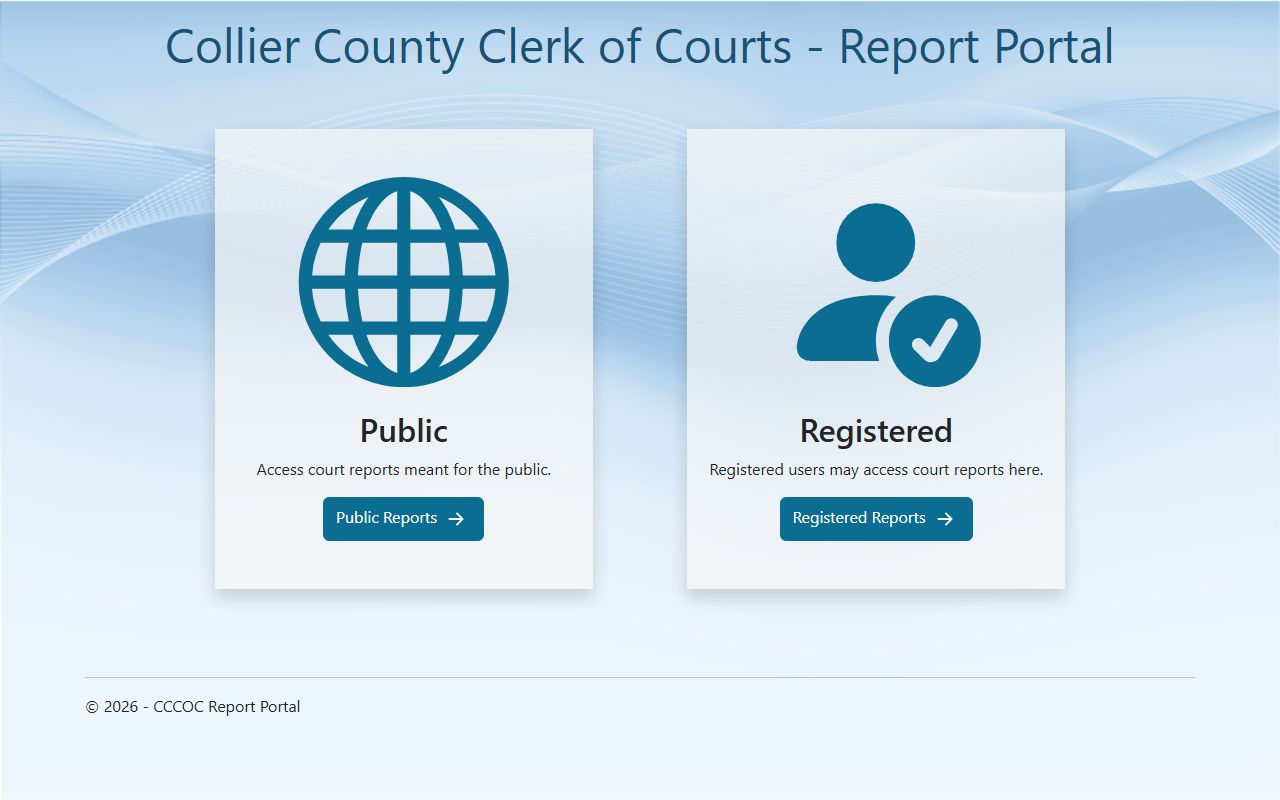
The report portal and the case search system are both reached from the ShowCase landing page at cms.collierclerk.com.
Collier County Docket Records vs. Full Case Records
Many people use "docket" and "case file" as if they mean the same thing. They do not. The docket is the chronological index of events in a case. The case file or case record includes all the underlying documents that the docket entries reference: the actual complaint, every motion filed, each order signed by the judge, exhibits, transcripts, and so on. Knowing the difference matters because what you can see online without a visit to the courthouse may be limited to the docket index, not the full document set.
| Docket | Full Case Record | |
|---|---|---|
| What it is | A line-by-line list of filings, hearings, and court actions | All documents in the file: pleadings, motions, orders, exhibits, transcripts |
| Online access | Docket entries are generally public and free via ShowCase Web | Documents may or may not be viewable online based on Florida's Security Matrix and Rule 2.420 |
| In-person access | Also available at courthouse public terminals | Public terminals at the Clerk's office may allow access to documents not visible online |
| Used to | Track case progress, confirm hearing dates, check filing dates, verify status | Read the actual text of orders and motions, obtain certified copies, prepare legal arguments |
| Certified copies | Not applicable; the docket itself is not typically certified | Available from the Clerk through eCertify or in-person request; fees apply |
| How to request | Click through in ShowCase Web at no cost | Use the Clerk's document request page or visit Suite 102 |
If a docket entry shows a document image icon that will not open, the document is likely restricted under the Florida courts electronic records access Security Matrix. Restricted categories include family law documents, juvenile records, mental health records, sealed criminal records, probate documents under certain conditions, victim-identifying information protected under Marsy's Law, and financial or personal identity data required to be redacted under Florida Rule 2.425. The docket entry itself usually still shows because the index is public; only the attached document image is blocked.
How to Read a Collier County Docket Entry
The docket entry description field uses short text labels that can look unfamiliar at first. Most labels follow standard court-filing naming conventions used across Florida's circuit and county courts. A few are specific to the Collier County Clerk system or the Jessica Lunsford Act compliance process. The definition box below covers the most common docket-related terms drawn from the ShowCase case detail and Florida court terminology.
- Docket
- The chronological log of every event recorded in a court case. Each line is called a docket entry and has a number, effective date, count reference, and description.
- Filing date
- The date the Clerk accepted a document into the case file. This is the date that matters for legal deadlines. The effective date on a docket entry may match the filing date or reflect the date an order took legal effect.
- Motion
- A written request submitted to the court asking for a ruling or order on a specific issue. Motions filed in a case generate docket entries such as "Motion to Dismiss," "Motion for Continuance," or "Motion for Summary Judgment."
- Order
- A judge's written directive resolving a motion or addressing a case issue. An order signed and filed by the judge creates a docket entry. Orders are the primary way courts decide contested issues short of a final judgment.
- Arraignment
- A criminal court hearing where the defendant is formally told the charges and asked to enter a plea. In Collier County the docket entry "Set on Arraignment - Misdemeanor" shows this hearing was scheduled with a date, time, and judge. If the defendant enters a plea at arraignment, a disposition docket entry follows.
- First appearance
- The early post-arrest hearing, typically within 24 hours of booking, where a judge addresses custody, reviews the charges, and sets or denies bond conditions. The docket entry "Set on First Appearance Hearing" shows this was scheduled in the system.
- Continuance
- A postponement of a scheduled hearing or trial. A continuance generates a docket entry noting the original hearing date was moved and may include the new date. Continuances can be requested by either party or ordered by the court.
Beyond those terms, docket entries in Collier County may reference statutes directly. A criminal charge entry will cite a Florida statute number such as 784.03(1)(a)1, which is the battery statute. The offense level code (for example, "MF" for misdemeanor first degree) appears in the Charges tab rather than the docket description, but the docket entry and the charges tab work together. If you see a docket entry you cannot decode, cross-reference the Charges tab and the Court Events tab in the same ShowCase case detail view.
Status codes in the results grid also matter. The sample case inspected showed a Status of "Pending," meaning the case was open and active. Other status values you may see in Collier County records include terms like Disposed, Closed, Transferred, or Sealed, though the research file confirmed only "Pending" from a direct inspection. If a case status is blank or shows restricted access, the matter may be confidential.
Collier County Case Numbers and Docket Search Tips
Getting the case number format right speeds up the docket search. Collier County uses a structured format visible in ShowCase. A short input like 26MM000744 will resolve to the full formatted case number 11-2026-MM-000744-AXXX-01 in the system. The "11" is the circuit identifier for the Twentieth Judicial Circuit in Florida's numbering system. The "2026" is the filing year. "MM" is the case type code for misdemeanor. The sequence number follows. The suffix "AXXX-01" reflects internal clerk identifiers.
Case type codes appear in the ShowCase case number and in the Court Type dropdown. Common codes you will see in Collier County docket searches include:
- MM - Misdemeanor (County Court)
- CF - Circuit Felony (Circuit Court criminal)
- DR or FC - Domestic Relations / Family (Circuit Court)
- PR or GA - Probate / Guardianship (Circuit Court)
- SC - Small Claims (County Court)
- CA or CC - Circuit Civil / County Civil
- TR or TI - Traffic / Traffic Infraction (County Court)
If you only have a citation number, use the Citation Number field in ShowCase or the separate citation search modal. Traffic and criminal traffic cases often start as citation records before a full case number is assigned. The ShowCase portal has both a main "Citation Number:" text field on the case search form and a citation-search modal reachable from the interface.
Name searches in ShowCase use the Last Name Or Business Name field and the First Name and Middle Name fields. For common names, narrow the search by adding date range and court type. The system will return a results grid sorted by case; check the File Date column to identify the right time period. The One Row Per Case checkbox is useful when a case has multiple parties and you want one row per case rather than one row per party.